Stockist and dealer locator: turning retail partners into local sales
If shops and distributors resell your products, most of your customers have no idea where to find them. A stockist locator is the cheapest way to convert that hidden distribution into visits, and it helps your partners too.
Brands that sell through retail partners usually know their distribution well and communicate it badly. The information exists in a spreadsheet, in the sales team's heads, sometimes in a PDF from two years ago. Meanwhile a customer who wants to see and touch the product before buying has no way to find out that a shop three streets away carries it.
A stockist locator fixes exactly that, and it is one of the few marketing assets that helps you, your retail partners and your customers at the same time.
Why it earns its place
It captures high-intent demand. Someone searching "where to buy [brand] near me" has already decided on the brand. All that remains is logistics. If you do not answer, they either buy online from a marketplace or buy something else.
It reduces returns. Products that need to be tried, fitted or seen in person come back far less often when they were bought in person.
It is an argument in wholesale negotiations. "We send customers to our stockists" is a concrete thing to put on the table when you open a new account.
It surfaces demand you cannot see. Search analytics on the locator tell you which cities people look for, including the ones where you have no partner yet. That is a distribution roadmap you did not have to pay for.
What to collect from each partner
The locator is only as good as the data behind it. For each stockist, aim for:
- Exact address, in a format that geocodes cleanly. Include the postal code and the country.
- Public phone number and website, so the visitor can check availability before travelling.
- Opening hours, including seasonal changes if the retailer has them.
- A tag describing the relationship: authorized dealer, flagship, click & collect point, service centre. Visitors filter on these.
- A short line about what they carry, if partners stock different parts of your range. "Full range" versus "Accessories only" saves wasted trips.
You do not need coordinates. Any decent locator geocodes the address for you.
Getting the data in without a data-entry week
If your stockist list already lives in a spreadsheet, export it to CSV and import it in one go. In Locastore the CSV import accepts English or French headers, geocodes every row in the background and reports the ones it could not resolve, so you only fix the exceptions by hand.
Two things worth doing at import time:
- Normalise your addresses first. Geocoders handle "12 rue des Archives, 75004 Paris" much better than "12 rue des Archives, Paris 4e, near the town hall".
- Import in batches by country if you operate internationally. It makes the failures easier to read.
Keeping it current
A stockist list is only useful if it is true, and it decays faster than you expect: shops close, move, drop the brand, change hours.
Build a light process rather than relying on memory:
- Add a location when a new wholesale account places its first order. Make it a step in the onboarding checklist.
- Remove or hide an account that has not reordered in a defined period. Hiding is better than deleting when you expect them to come back.
- Review the whole list on a fixed schedule, quarterly for most brands. Export to CSV, send it round to the sales team, re-import the corrected file.
Presenting it well
- Give it a real page at a predictable URL such as /pages/stockists, linked from the main menu, not buried in the footer. Our guide to a where to buy page on Shopify walks through the page and menu setup.
- Let visitors filter by tag so a customer looking for a service centre is not scrolling past retailers.
- Show distances and a live open or closed badge. Both remove a reason to hesitate.
- Link to it from product pages when the product is one people want to see in person.
Measuring whether it works
The two numbers that matter are what people search for and which locations they click through to. Locastore records searches, store views and direction clicks anonymously, which is enough to answer the useful questions:
- Which cities are searched most often, and do you have a partner there?
- Which partners get the most direction clicks? Those are the ones worth supporting with more stock or co-marketing.
- Which locations are never viewed? Either they are in the wrong place on the map, or they should not be on the list.
None of it requires tracking individual visitors. Aggregate counts tell you everything you need to decide where the next retail partner should be.
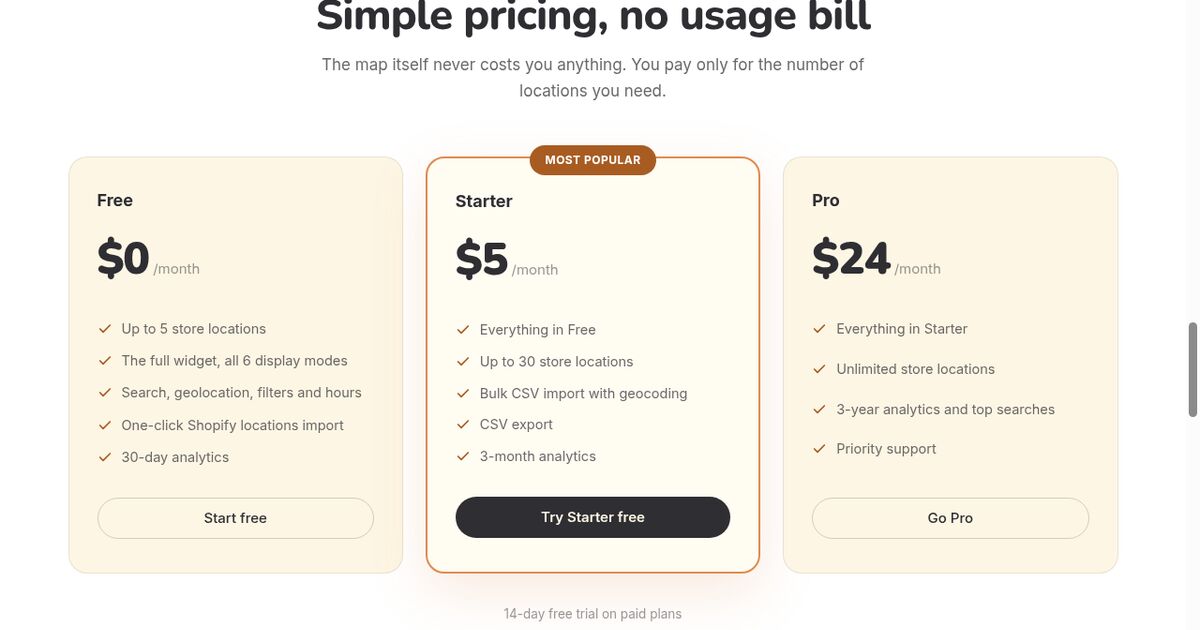
If you want to publish your stockist network without setting up a Google Maps API key, Locastore imports a CSV, geocodes it for you, and starts free for up to five locations.
Frequently asked questions
What is the difference between a store locator and a stockist locator?
A store locator shows the shops you own. A stockist locator shows the independent retailers, distributors and dealers who resell your products. The interface is the same; what changes is that you do not control the data, so you need a process to keep it current.
Should I show every stockist on the map?
Show the ones that hold enough stock to be worth a trip. A customer who drives to a shop that carries none of your products blames your brand, not the retailer, so a shorter honest list beats a long optimistic one.
How do I keep a stockist list up to date?
Tie it to your wholesale process: add a location when an account places its first order, and review the list on a fixed schedule, for example every quarter. A CSV export and re-import makes a bulk review quick.